Karo.bot vs Tasks.Bot for Screen Scraping Automation
You searched for a screen scraping tool and landed on two names that do different jobs. One automates data extraction; the other runs tasks and reports inside WhatsApp. Confusing them wastes a trial and a week.
This comparison explains what Tasks.Bot actually does, whether it supports screen scraping automation, and where Karo.bot fits in the automation market. You will also see Tasks.Bot's key features, pricing, beta status, and who should use it, so you can pick the right tool.
What Is Tasks.Bot?
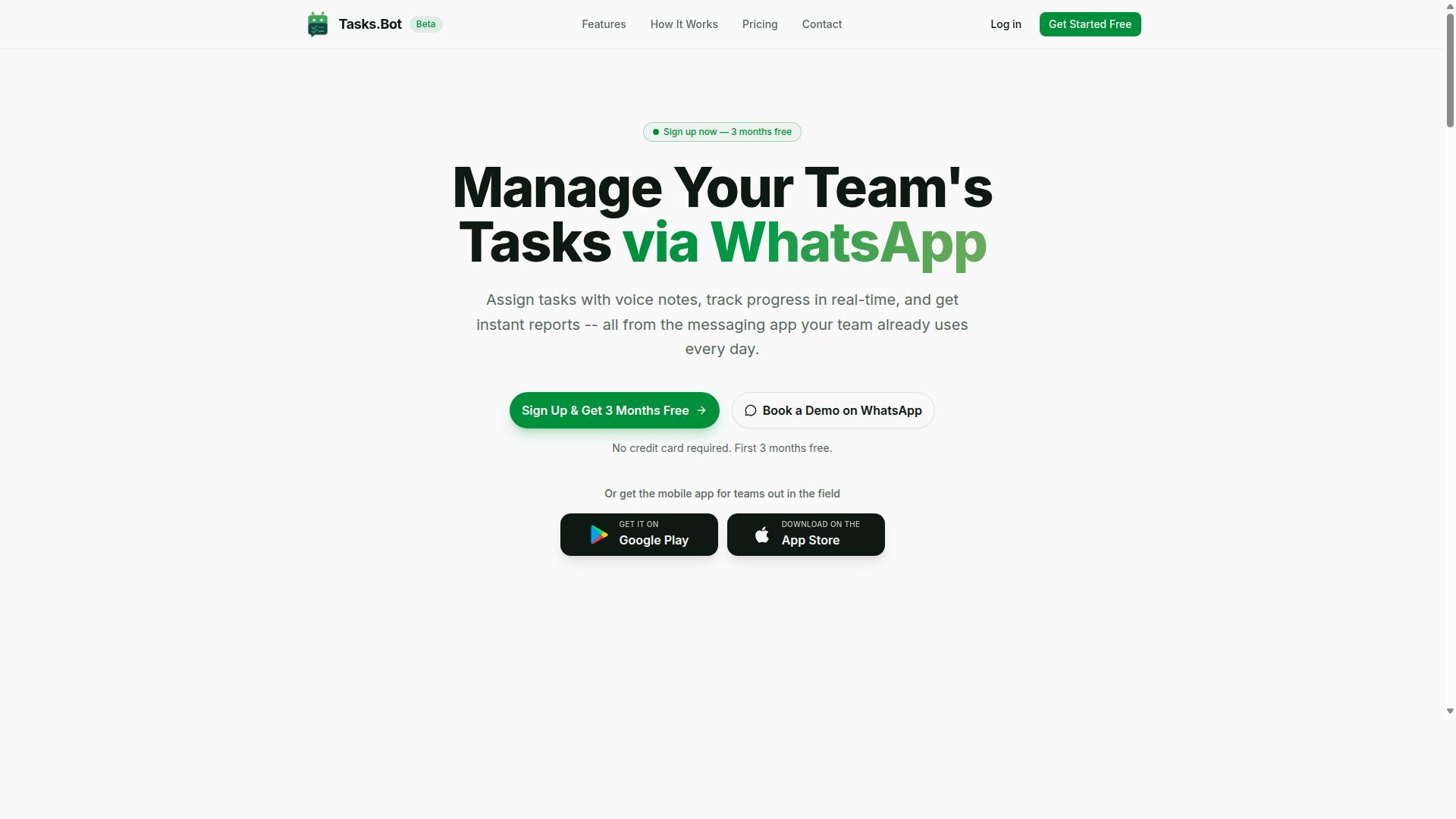
Tasks.Bot is a task management platform that operates entirely within WhatsApp, enabling teams to assign tasks, track progress, and receive reports without leaving the messaging app. Rather than asking workers to learn a new dashboard, it meets them in the tool they already open dozens of times a day.
For anyone comparing Karo.bot vs Tasks.Bot in the context of screen scraping automation, the distinction matters. Tasks.Bot is not a scraping engine or a bot development environment. It is a task automation and workflow tracking tool built around human coordination, not data extraction.
The platform also offers a mobile app designed for field teams. That combination, WhatsApp plus a dedicated mobile app, keeps both desk-based coordinators and on-the-ground staff working from the same task list.
Simplicity is the core design principle here. There is no visual workflow builder, no CSS selectors to configure, and no headless browser to maintain. The service is currently in beta and offers a free trial period, so teams can evaluate whether the lightweight approach fits their operations before committing.
In short, Tasks.Bot is best understood as a coordination layer for people, not a data pipeline for machines. That framing sets up the rest of this comparison clearly.
Who Tasks.Bot Serves and How It Works on WhatsApp
Tasks.Bot is designed for teams that already use WhatsApp for communication, particularly those with field staff who need to manage tasks, track attendance, and generate payroll-ready hours. The site mentions hundreds of teams already using the service.
The workflow is deliberately minimal. A user creates a task through a voice note or a text message, assigns it to the right person, and the platform handles automatic reminders from there. Team members receive their assignments inside the same chat threads they already use for daily coordination.
Crucially, no new app installation is required for team members. That removes one of the biggest friction points in field operations, where onboarding a workforce onto unfamiliar software often stalls adoption.
The audience profile follows from that design:
- Field teams that need task assignment and progress tracking without a desktop
- Supervisors who need attendance records tied to actual work activity
- Operations managers who want payroll-ready hours without manual timesheet chasing
- Small and mid-sized teams already running their communication on WhatsApp
Compare this to screen scraping automation tools. A web crawler, HTML parsing script, or Puppeteer job runs unattended and produces structured data. Tasks.Bot does the opposite kind of work: it routes instructions to humans and collects confirmation that the work happened.
Where a low-code platform or RPA suite automates clicks and data extraction, Tasks.Bot automates the coordination layer around people. For teams whose bottleneck is knowing who did what and when, that is the more valuable form of task automation.
Does Tasks.Bot Support Screen Scraping Automation?
Tasks.Bot does not support screen scraping automation, as its core functionality is centered around task management and team collaboration within WhatsApp. This is a deliberate design choice, not a missing feature. The platform was built to help teams assign, track, and complete work, not to extract data from websites or drive headless browsers.
If you are evaluating tools for web scraping or browser automation, Tasks.Bot simply sits in a different category. It is a task management service, not a scraping engine, and it makes no claims otherwise. Understanding that boundary early saves time and prevents mismatched expectations.
What Tasks.Bot actually does is organize work across a team through native WhatsApp integration. Its feature set includes voice note task creation, automatic task assignment, smart deadline reminders, approvals and automations, instant reports, tasks on a map, a live day tracker, face-verified attendance, and shifts, leave, and hours management. It also offers Android and iOS apps with push notifications, voice capture, and a home screen widget.
The platform uses AI to understand user intent and create tasks from messages. That is the extent of its automation story: task automation and workflow automation for people and teams, not robotic process automation for browsers.
For clarity, here is what Tasks.Bot is not built to handle:
- Screen scraping or data extraction from web pages
- Browser automation using headless browser tools such as Puppeteer, Playwright, Selenium, or Chromium
- HTML parsing, DOM traversal, CSS selectors, or XPath
- JavaScript rendering, dynamic content, AJAX, or single-page application handling
- Web crawler behavior, scheduling of scrape jobs, or trigger-based extraction pipelines
- Conditional logic, loops, or error handling for scraping runs
- Custom bot development or a visual workflow builder for external websites
None of these capabilities appear in the product's documented features, and none should be expected from it. Teams searching for a no-code automation or low-code platform to pull data from third-party sites will need a purpose-built scraping tool instead.
Where Tasks.Bot does fit is operational coordination. A team that needs to log a task from a voice note, assign it automatically, track its deadline, capture approval, and pull an instant report can do all of that inside WhatsApp without switching apps. That is genuine intelligent automation for daily operations, just aimed at people rather than web pages.
The distinction matters because the terms overlap in casual conversation. "Automation" can mean a software bot clicking through a site, or it can mean a system that routes work to the right person at the right time. Tasks.Bot is firmly the second kind.
So the answer is straightforward. Tasks.Bot supports task management, team collaboration, and workflow coordination through WhatsApp. It does not support screen scraping automation, and it is not positioned as a scraping, crawling, or browser-driving tool. Choosing it for task tracking makes sense. Choosing it for data extraction does not.
Karo.bot vs Tasks.Bot: What Each Tool Is Actually Built For
Karo.bot and Tasks.Bot serve fundamentally different purposes: Karo.bot specializes in screen scraping and browser automation, while Tasks.Bot focuses on task management via WhatsApp.
That single distinction explains why comparing them feature by feature rarely makes sense. They can both be described as automation tools, but they solve problems that live in completely different parts of a business. One is built to pull structured information out of web pages at scale. The other is built to keep people organized, accountable, and moving through their daily work.
If your goal is data extraction from websites, Karo.bot sits in the technical, developer-facing category of screen scraping automation. If your goal is getting a team to actually finish what it plans, Tasks.Bot sits in the collaboration and task automation category. Choosing between them is less about which tool is "better" and more about which problem you are trying to solve.
This section breaks down where each tool fits, so you can quickly tell which one belongs in your stack and which one simply does not apply to your use case.
Where Karo.bot Fits in the Automation Landscape
Karo.bot is built for screen scraping automation, enabling users to extract data from websites using techniques like DOM traversal, CSS selectors, and headless browsers such as Puppeteer and Playwright.
Its core strength is handling the messy reality of modern websites. Many pages no longer load all their content at once. Instead, they rely on JavaScript rendering, AJAX requests, and single-page application frameworks to build the interface after the initial load. A simple HTML fetch often returns little more than a shell.
Tools like Karo.bot address this by driving a headless browser, which loads the page the way a real user would. That makes it possible to capture content that only appears after scripts run, buttons are clicked, or data streams in from a background request. Common building blocks in this space include:
- DOM traversal and HTML parsing to locate elements on a page
- CSS selectors and XPath for targeting specific data points
- JavaScript rendering through Chromium-based engines
- API integration and REST API calls to pull data directly from endpoints
This positions Karo.bot as a tool for teams that need reliable web crawler behavior, structured data extraction, and automation of web-based workflows. It fits naturally into developer and data engineering environments where robotic process automation and custom bot development are already part of the toolkit.
Where Tasks.Bot Fits: Task Management, Not Web Scraping
Tasks.Bot is purpose-built for task management within WhatsApp, streamlining team collaboration, task assignment, and progress tracking without any web scraping capabilities.
It is not a scraping tool, and it does not try to be one. Instead, it operates entirely within WhatsApp, so team members do not need to install anything or create new accounts. That removes one of the biggest barriers to adoption: getting everyone onto yet another platform.
The tool uses AI to understand natural language and voice notes for task creation, which means a manager can assign work the same way they would send a message. It also supports face-verified attendance and live GPS tracking for field staff, features that matter to teams working outside an office. Enterprise-grade encryption protects conversations and task data, which are never shared or used for training.
Tasks.Bot also offers a 3-month free trial with no credit card required, making it easy for a team to test whether WhatsApp-based task automation fits its workflow. The audience here is operations leads, small business owners, and field teams, not developers writing scrapers. If you need to pull product prices from an e-commerce site, Tasks.Bot is the wrong tool. If you need your team to close out tasks on time, it is exactly the right one.
Key Features and What Makes Tasks.Bot Stand Out
Tasks.Bot offers a suite of features designed to simplify task management for teams, including AI-powered task creation, voice notes, and instant reporting. Its defining trait is that everything runs inside WhatsApp, so team members do not need to install anything or create new accounts.
That design choice matters for teams that already juggle multiple tools. Instead of training staff on a new dashboard, managers send a message and the work gets captured, assigned, and tracked. For task automation in day-to-day operations, this removes the biggest barrier to adoption: change fatigue.
The platform also ships Android and iOS apps with push notifications, voice capture, and a home screen widget. These complement the WhatsApp experience rather than replace it, giving users a native option when they want one. Enterprise-grade encryption protects the data, and conversations and task data are never shared or used for training.
Broadly, the standout capabilities fall into three groups:
- Task creation and communication: AI interpretation of natural language, voice note task creation, automatic task assignment, and smart deadline reminders
- Tracking and visibility: tasks on a map, a live day tracker, face-verified attendance, and shifts, leave, and hours management
- Reporting and control: instant reports, approvals, and automations
Each group addresses a common team pain point, whether it is unclear ownership, limited field visibility, or slow reporting cycles. A three-month free trial with no credit card required lets teams evaluate all of it before committing.
AI Task Creation, Voice Notes, and Instant Reports
Tasks.Bot uses AI to interpret natural language and voice notes, allowing users to create tasks simply by speaking or typing a message in WhatsApp. The AI understands user intent, so a manager does not need to fill out a form or follow a rigid command syntax.
In practice, this means a supervisor can send a voice note describing what needs to happen and who should handle it. The system turns that message into a structured task rather than leaving it buried in a chat thread. This is a meaningful shift for teams where instructions have traditionally lived in scattered messages.
Automatic task assignment and smart deadline reminders build on the same foundation. Once a task exists, it can be routed to the right person and flagged before it slips. Approvals and automations add lightweight control without requiring a separate workflow tool.
Instant reports give managers real-time visibility into task status and team performance, and they can be generated automatically. Instead of chasing updates at the end of the week, a manager can see where things stand as work progresses. That shortens the gap between a problem appearing and someone acting on it.
For teams comparing options, this combination of no-code automation and conversational input is the core differentiator. It keeps the barrier to entry low while still producing the structured data a manager needs to run a team.
Face-Verified Attendance, GPS Tracking, and Live Day Tracker
Tasks.Bot includes face-verified attendance and GPS tracking to ensure field staff are accurately logged in, along with a live day tracker for real-time monitoring. Face verification confirms that the person clocking in is the person assigned to the shift, which helps prevent buddy punching.
For teams with field workers, attendance fraud is a persistent and expensive problem. A colleague clocking in on someone else's behalf distorts payroll and hides real coverage gaps. Face verification closes that loophole at the point of check-in rather than during a later audit.
GPS tracking serves a related purpose: managing field teams spread across locations. Tasks on a map give managers a view of where work is happening, which supports better routing and faster response when priorities shift. Shifts, leave, and hours management round out the workforce side of the platform.
The live day tracker ties attendance and location data back to the work itself. Managers get updates on task progress throughout the day instead of waiting for an end-of-day summary. That continuous feedback loop makes it easier to spot a stalled task early and reassign resources before a deadline is missed.
Taken together, these features address a gap that pure task automation tools often leave open: connecting what was planned to who actually showed up and where the work got done. For field-heavy operations, that connection is often the difference between a plan and an outcome.
Pricing and Plans
Tasks.Bot offers a single 'Full Access' plan with all features included, priced at ₹200 per member per month or ₹1,200 per year per member. That is the entire pricing structure. There are no tiers to compare, no feature gates to unlock, and no upgrade path to worry about.
For teams evaluating screen scraping automation, this simplicity matters. Instead of calculating which tier covers the browser automation, data extraction, or scheduling capacity a project needs, you pay one rate and get everything.
Tasks.Bot supports pricing in both Indian Rupees (₹) and US Dollars ($). A 'Select currency' option on the site lets users choose between the two, so it is worth confirming your preferred currency before subscribing.
| Plan | Billing Cycle | Price (INR) | Price (USD) |
|---|---|---|---|
| Full Access | Monthly | ₹200 per member per month | Shown via currency selector |
| Full Access | Annual | ₹1,200 per year per member | Shown via currency selector |
Pricing is per member, which means the total cost scales with the size of the team using the platform. Each person added to the account carries the same rate, whether they build workflows, monitor runs, or handle data extraction output.
The annual option is where the numbers get interesting. At ₹1,200 per year per member, the annual plan saves 50% compared to paying monthly. That works out to a saving of ₹1,200 per year for every member on the plan.
For anyone planning to run web scraping or browser automation over the long term, the annual route cuts the effective monthly cost in half. For a five-member team, the monthly route totals ₹1,000 per month, while the annual route works out to ₹500 per month equivalent across the team.
New users also get 3 months free, with no credit card required to start. That gives teams a real window to test Tasks.Bot against their own scraping and automation workloads before committing. The plan can be cancelled at any time.
Because the 'Full Access' plan includes every feature, the decision comes down to billing cycle and team size, not which capabilities you can afford. For most teams doing regular screen scraping automation, the annual plan is the straightforward choice on cost alone.
Trust Signals: Beta Status, Encryption, and Refund Policy
Tasks.Bot is currently in beta, offering encryption for data security and a refund policy to ensure user confidence. Those three signals, beta status, encryption, and a stated refund policy, tell you a lot about how the platform wants to be judged. For anyone weighing up Karo.bot vs Tasks.Bot for screen scraping automation, trust signals often matter as much as the feature list itself.
Beta status is frequently misread as a warning sign. In practice, it usually means the product is shipping improvements quickly rather than sitting still. A tool still in beta tends to receive frequent updates, with fixes and refinements arriving faster than they would in a mature, frozen release cycle.
That pace cuts both ways. On one hand, a beta product can change under your feet, so it pays to keep an eye on release notes and re-test critical workflows after updates. On the other, a team that is still actively building is usually more responsive to feedback than one that has stopped iterating.
For web scraping work specifically, rapid iteration is often an advantage. Websites change their markup, shift to JavaScript rendering, or add new anti-bot measures, and any scraping setup needs to keep pace. A platform that is still evolving is better positioned to adapt to those shifts than one that is effectively abandoned.
Encryption is the second signal, and it matters more in scraping than many people assume. Screen scraping automation frequently involves credentials, session cookies, API keys, and extracted data that may include personal or commercially sensitive information. Encryption protects that material in transit and at rest.
When you evaluate any scraping tool, ask what data actually passes through it. If you are logging into a portal, submitting forms, or pulling records behind a login, you are handing the platform sensitive inputs. Encryption is the baseline control that keeps those inputs from being exposed.
The refund policy, mentioned in the site footer, functions as a low-risk trial. It lets you evaluate Tasks.Bot on your own data and workflows before committing. That is a meaningful signal because it shifts the risk of a bad fit onto the vendor rather than the buyer.
Practical advice: before relying on any refund policy, read the terms. Check the window, the conditions, and what counts as a valid claim. A refund policy is only as useful as its fine print, so confirm the details rather than assuming.
It is also worth noting what the beta label does not tell you. It says nothing about uptime guarantees, support response times, or long-term roadmap commitments. Treat it as a statement about maturity, not a promise about service levels.
If you want to see the platform in context before deciding, Tasks.Bot offers a Book a Demo on WhatsApp option on its website. That gives you a direct way to ask questions about encryption, data handling, and how the refund policy works in practice.
Weighing these signals against Karo.bot comes down to priorities. If you value a stable, unchanging tool, a mature product may suit you. If you value active development and a safety net on your spend, beta status plus encryption plus a refund policy is a reasonable combination.
For most teams running screen scraping automation, the deciding factor is fit rather than age. Test the workflows you actually need, confirm how your data is protected, and check the refund terms. Do that, and the beta label becomes a footnote rather than a dealbreaker.
Who Should Use Tasks.Bot
Tasks.Bot is ideal for teams that rely on WhatsApp for communication, especially those with field staff who need to manage tasks, track attendance, and generate payroll-ready hours. The platform is built around a channel those teams already use every day, so it fits naturally into how they operate rather than forcing a new app on everyone.
If your team's work happens outside an office, this kind of task automation tends to matter more than sophisticated tooling. The core need is simple: assign work, confirm it got done, and keep hours accurate. Tasks.Bot addresses that need directly.
The brand notes that hundreds of teams already use the service. That gives a sense of the audience it was designed for: operational teams coordinating people in the field, not developers building custom workflows.
Below are the profiles that get the most out of it.
- Small businesses that run day-to-day operations over WhatsApp and need a lightweight way to assign and track work.
- Field service teams whose staff move between sites and need tasks delivered to a device they already carry.
- Remote teams spread across locations that need a shared, familiar communication channel for coordination.
- Operations and admin staff responsible for turning attendance records into payroll-ready hours.
For a small business, the appeal is avoiding a heavy rollout. Staff already know WhatsApp, so adoption friction stays low and managers can focus on task assignment instead of training.
Field service teams benefit because work is dispatched and confirmed in the same place conversations happen. Attendance tracking and hours capture sit alongside those tasks, which reduces the back-and-forth that usually follows a job.
Remote teams gain a consistent coordination point. When task management and attendance live in one channel, there is less risk of details slipping between separate tools.
If your team fits any of these profiles, Tasks.Bot is a strong match. It is a practical fit for teams that need task management, attendance tracking, and payroll-ready hours without adding complexity to how they already communicate.
Final Verdict: Choosing the Right Tool for Your Automation Needs
When choosing between Karo.bot and Tasks.Bot, consider your primary need: Karo.bot for screen scraping and browser automation, Tasks.Bot for WhatsApp-based task management. These are different categories of tool, and the right pick depends entirely on what you are trying to accomplish.
If your goal is web scraping and data extraction, you need a tool built for that job. Screen scraping automation involves HTML parsing, DOM traversal, CSS selectors or XPath, and often a headless browser to handle JavaScript rendering, dynamic content, and single-page applications. Karo.bot sits in this space, alongside general-purpose browser automation tools such as Puppeteer, Playwright, and Selenium. If your project calls for a web crawler that pulls structured data from pages, that is the category to evaluate.
If your goal is task automation and workflow automation delivered through a channel your team already uses, Tasks.Bot serves a different purpose. It is a SaaS product focused on WhatsApp-based task management, which means the work happens where conversations already take place rather than inside a separate dashboard or scraping pipeline.
Here is a simple way to frame the decision:
- Choose Karo.bot when your core requirement is screen scraping, browser automation, or robotic process automation tied to web pages.
- Choose Tasks.Bot when your core requirement is task management and workflow coordination through WhatsApp.
- Choose both when you need data extraction on one side and team-facing task handling on the other.
It is worth noting that these tools are not direct substitutes. Comparing them head to head only makes sense if you first clarify whether you need data extraction or task automation. Once that question is answered, the choice usually becomes obvious.
For readers evaluating Tasks.Bot, the brand is reachable through clear contact channels. You can call +91 97143 42522 or email [email protected] with questions about fit and setup. Tasks.Bot also offers the option to Book a Demo on WhatsApp, which lets you see the product in action before committing.
If your automation needs lean toward WhatsApp-based task management, Tasks.Bot is the clear fit. Reach out by phone, email, or the WhatsApp demo option to confirm it matches your workflow.
Frequently Asked Questions
Is Tasks.Bot a screen scraping tool like Karo.bot?
No - Tasks.Bot is a task management platform that runs inside WhatsApp, not a screen scraping tool. It's built for teams to assign tasks, track progress, and get reports without leaving the messaging app. If your goal is scraping data from websites, Tasks.Bot isn't designed for that use case.
Do my team members need to install new software or create accounts to use Tasks.Bot?
No. Tasks.Bot operates entirely within WhatsApp, so team members don't need to install anything or create new accounts - they simply use the WhatsApp they already have. There's also a mobile app available for field teams who need it.
How does Tasks.Bot handle task creation compared to a typical automation tool?
Tasks.Bot uses AI to understand natural language and voice notes, so you can create tasks just by typing or speaking a message in WhatsApp. It also supports automatic task assignment, smart deadline reminders, approvals, and automations. This makes it approachable for teams who aren't technical users.
What does Tasks.Bot cost?
Tasks.Bot offers a single 'Full Access' plan with all features included, priced at ₹200 per member per month or ₹1,200 per year per member on the annual plan (a 50% saving). Pricing is available in both Indian Rupees and US Dollars. A refund policy is mentioned in the site footer.
Can Tasks.Bot be used by teams outside India?
Yes. Tasks.Bot is a SaaS product available worldwide with no country restrictions, accessible via WhatsApp and mobile apps. It's particularly suited to teams that already use WhatsApp for communication, including those with field staff who need attendance tracking and payroll-ready hours.
How can I see Tasks.Bot in action before signing up?
You can book a demo directly on WhatsApp through the Tasks.Bot website. Note that the service is currently in beta. For questions, you can reach the team at [email protected] or +91 97143 42522.
Recommended Resources: